Anki vs. Quick Recall: Which Flashcard App Is Right for You?
Full disclosure: we make Quick Recall. We've tried to be fair, including about where Anki is the better choice. Facts about Anki were checked against its official site on November 17, 2026.
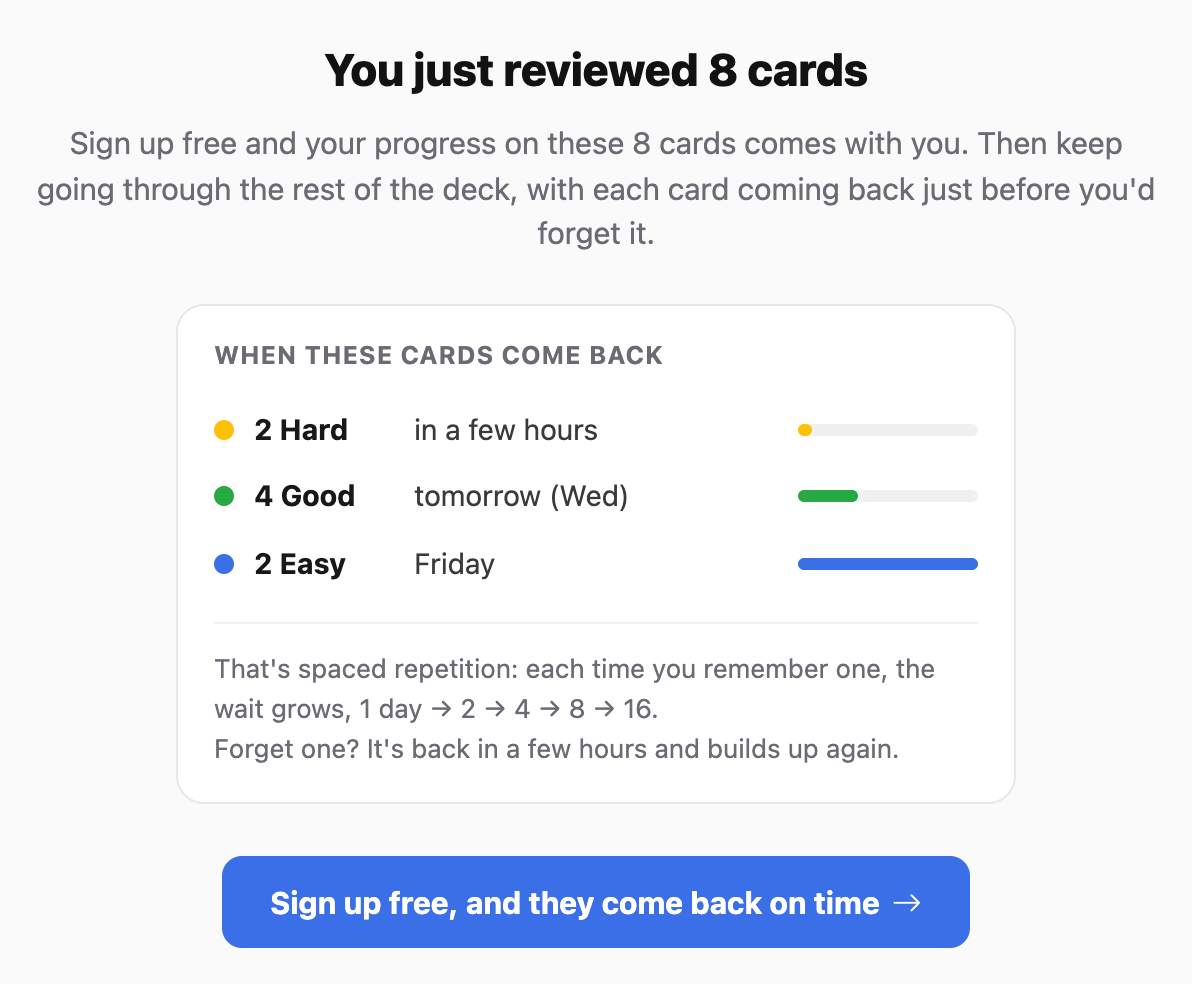
Anki and Quick Recall are both flashcard apps built on spaced repetition: cards you find hard come back sooner, and cards you know fade into the background. The difference is in everything around that. Anki gives you control over almost everything. Quick Recall makes the choices for you so you can start in a minute.
The short answer
Choose Anki if you…
- want to tune how reviews are scheduled
- need images, audio or formulas on your cards
- study offline a lot, or in large volumes (e.g. medical school)
- like add-ons and huge shared decks
Choose Quick Recall if you…
- want to start in a minute, with nothing to set up
- study on any device in a browser, iPhone included, for free
- want to paste a list and get a deck
- are sharing a deck with a class or group
Side by side
| Anki | Quick Recall | |
|---|---|---|
| Price & devices | Free on computers, Android and the web; iPhone app is paid | Free in any browser, iPhone included |
| Getting started | Install, then set up; some learning curve | Paste a list or pick a deck; no account to try |
| Rating cards | You rate every review | You rate once, then recall speed decides |
| On a card | Text, images, audio, video, formulas | Text, plus read-aloud |
| Customising | Extensive, with add-ons | Minimal on purpose |
| Ready-made decks | Huge shared library | Smaller free set |
| Sharing with a group | Send a deck file | Private link or QR code; no account needed |
| Offline | Yes | No |
Last checked November 17, 2026. If something here is out of date, let us know and we'll fix it.
When Anki is the better choice
Be honest with yourself about how you study. Anki is the stronger tool if:
When Quick Recall is the better choice
Moving your cards from Anki
Text cards come across easily:
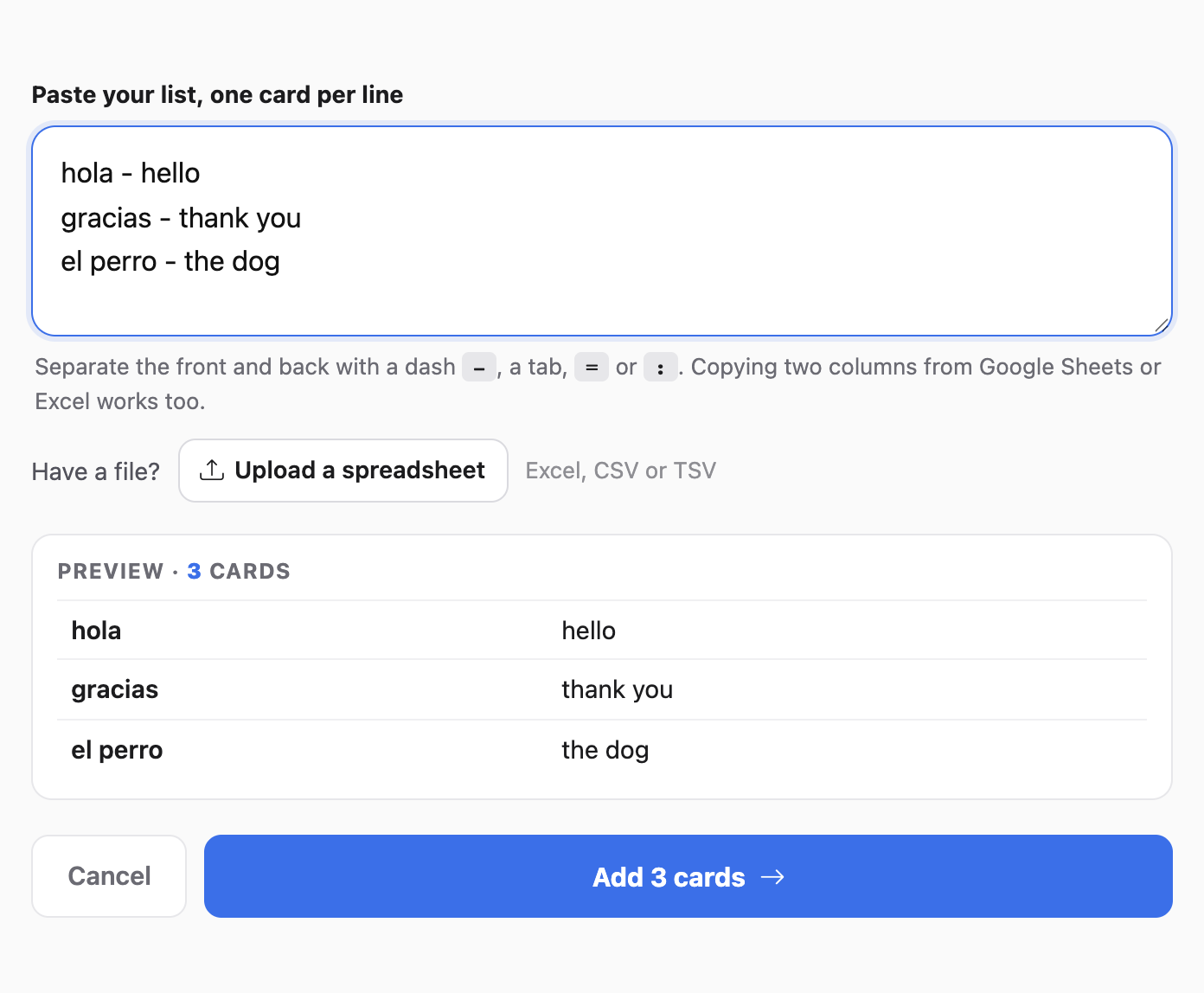
- In Anki on a computer, open the deck's menu and choose Export, pick Notes in Plain Text (.txt), and untick the option to include HTML, so the cards come out as plain text.
- In Quick Recall, click New Deck, give it a name, and choose Many at once.
- Upload the file. The first column becomes the front of each card and the second the back.
Images, audio and Anki's study history don't transfer, and cards start fresh.
Common questions
Is Anki free?
Is there an easier alternative to Anki?
Which is better for language learning?
Can I use both?
Coming from Quizlet instead?
Want to see if Quick Recall suits you? Try any free deck in your browser, no account needed.
Anki and AnkiMobile are trademarks of their respective owners. Quick Recall is an independent app and isn't affiliated with or endorsed by Anki. Details about Anki come from its official website and may change; check there for the latest.